Try Tools · Research
Jina Reader: what happened when we tested it
Turns any URL or PDF into clean Markdown for LLMs (prefix r.jina.ai/).
Score
5.0/10
claims that held up
Verdict
V1 · Partly works4
Access needed
L0 Public web onlyTested 2026-10-20
Rule set before testing: the worse of clean Markdown and JavaScript pages, and F if free use failed. Both were only partly met; free use worked with a no-signup trial key.
Converted static pages to clean Markdown with zero navigation leftovers, but anonymous use was blocked from our cloud network, a JavaScript page came back empty until we bypassed the cache, and PDF text kept 421 line-break hyphens.
0
navigation or footer leftovers
0 of 7 Wikipedia and 0 of 6 Python-docs markers
96.7%
of sentences kept (Python docs)
205/212; Wikipedia 47/50 (94.0%); our pass mark 95%
0/10 → 10/10
quotes from a JavaScript page
default call vs with X-No-Cache
421
line-break hyphens kept in PDF text
e.g. 'pow-erful'; 14-page arXiv paper
Claim by claim
Prepend r.jina.ai to get clean Markdown with navigation, headers and footers strippedPartly
Boilerplate: 0 of 7 Wikipedia markers and 0 of 6 Python-docs markers left. Content: Python docs 205/212 sentences (96.7%, passes); every miss was the page's H1 (kept only in the title field) or a code-formatting difference, and all 42/42 '>>>' example lines were there. Wikipedia 47/50 (94.0%), just under our 95% mark: two misses are text that is present but lost the spaces around links ('RFC[7763](…)–'), the third is a ground-truth artifact. Kept 3 of 4 images and 102 distinct article links vs 191 in the article's link list (we did not check which links were dropped).
Default engine runs client-side JavaScript before extractionPartly
The plain call returned 0 of 10 quotes plus a 'not yet fully loaded' warning (80 tokens, 0.70 s, probably a cached copy). With X-No-Cache it returned 10 of 10 quotes (9 of 10 with the right author; the first author was missing) in 8.0 s. Works, but not reliably on the default call.
Reads PDFs nativelyPartly
arXiv 2310.19923v4: 14 pages, correct title, 12,214 tokens, 1.76 s. All 8 abstract sentences are there in substance, but 0/8 match exactly because 421 line-break hyphens were kept ('pow-erful', 'es-sential'); after removing them 6/8 match, and the other 2 differ only because the PDF wording differs from arXiv's abstract metadata ('v2', 'text-embedding-ada-002').
Free without an API key, 20 requests per minutePartly
Free, but not the way the page says. Without a key our cloud network was refused (run 1, 0/8, HTTP 401 'bad network reputation'). A free trial key with no signup fixed it: 29/29 calls worked and the limit header said 500 per minute, matching the keyed tier. The dashboard also showed a contradictory banner about the trial key's daily limit (seen by the founder) while calls still worked.
Open a claim to see what we measured.
The full report
Full result
Partly works. With a free trial key, Jina Reader turned two static documentation pages into clean Markdown: no navigation leftovers, about 94-97% of sentences matched exactly (the rest were present with formatting differences), and code examples were complete. Three things a reader should know: (1) the advertised no-key tier refused our cloud computer outright, (2) the JavaScript test page came back empty on the default call and only worked when we bypassed the cache, and (3) PDF text kept hundreds of line-break hyphens. A fresh page took 5-8 s; repeats were under 2 s.
The test task and exact input
Fixed before the first call (plan saved at 10:43 UTC+8): read 4 public pages through r.jina.ai without a key and compare with ground truth we fetched ourselves. P1 Wikipedia 'Markdown' (MediaWiki API plain-text extract: 50 sentences of 40+ characters, 191 article links, 4 images), P2 Python json docs (42 '>>>' example lines), P3 quotes.toscrape.com/js/ (10 quotes that only appear after JavaScript runs; the static HTML has 0), P4 an arXiv PDF that Jina's own FAQ uses as an example. Pass marks: 95%+ sentence recall and at most 1 navigation leftover per page, 9 of 10 JS quotes, and a 22-request burst to check the 20 RPM limit.
curl "https://r.jina.ai/https://en.wikipedia.org/wiki/Markdown"
(also the Python docs, quotes.toscrape.com/js/ and arxiv.org/pdf/2310.19923v4 URLs; no headers, no key)
What happened, step by step10 steps
- Run 1: Fetched the vendor page jina.ai/reader/ and saved the claims and the rate-limit table (10:43)
Observed: HTTP 200. Claims and '20 RPM' without a key found in the page HTML. jina.ai/pricing/ returned 404. The words 'reputation' and 'anonymous' appear nowhere on the page. - Run 1: Wrote the test plan and pass marks, then fetched our own ground truth for the 4 pages (10:43-10:44)
Observed: Wikipedia API, Python docs and quotes.toscrape.com all HTTP 200. The arXiv export API timed out after 30 s, so we used the arXiv abstract page (200) instead. - Run 1: Sent the 4 test URLs to r.jina.ai with plain GET requests, one after another (10:44:36-10:44:37)
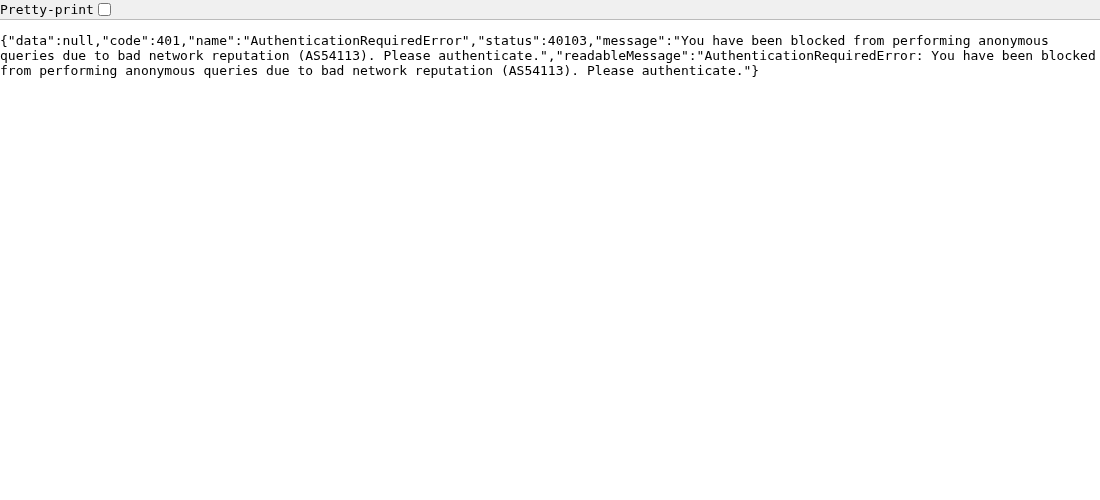
Observed: 4 of 4 returned HTTP 401 in 0.10-0.23 s, 373-byte JSON: 'You have been blocked from performing anonymous queries due to bad network reputation (AS54113). Please authenticate.' - Run 1: Waited 60 s, then retried with the vendor's own example URL (example.com), the POST form, and the faster 'X-Engine: direct' engine (10:45:58-10:46:00)
Observed: 3 of 3 returned the same HTTP 401 message. - Run 1: Opened one test URL in headless Chrome to rule out a curl-specific block (10:46:20)
Observed: HTTP 401, same message (screenshot). - Run 1: Stopped. Did not sign up for a key, change networks or use a proxy, and did not run the 22-request burst
Observed: With 0 successful conversions there was nothing to compare and no rate limit left to measure. - Run 2: sent the same 4 pre-registered URLs with the free trial key (10:53:31-10:53:35)
Observed: All HTTP 200 in 0.40-1.76 s. Tokens: Wikipedia 12,750, Python docs 9,342, JS quotes page 80, PDF 12,214. The JS page came back with only the header and footer and the warning 'This page maybe not yet fully loaded'. Such fast replies are probably Jina's cache (its FAQ says repeats within 5 minutes are cached). - Extra diagnostics (marked as extra, not part of the plan): JS page again with X-No-Cache, then with X-No-Cache plus X-Wait-For-Selector: .quote; Wikipedia with X-No-Cache for a fresh latency (10:53:54-10:54:14)
Observed: JS page: all 10 quotes, 8.0 s and 7.0 s, 251 tokens each. Fresh Wikipedia: same content, 5.1 s, 12,536 tokens. - Compared every output with our ground truth using a script (published in the evidence)
Observed: Numbers in the claim table below. We hand-checked every sentence the script marked as missing. - Modest 22-request check at the keyed limit: example.com, one request after another (10:56:02-10:56:07)
Observed: 22 of 22 HTTP 200 in about 4.4 s, 341 tokens each. The x-ratelimit-limit header said 500 per 60 s; x-ratelimit-remaining read 499 on every reply.
Test runs2 runs
| When | Setup | What happened |
|---|---|---|
| 2026-10-20 10:43-10:47 UTC+8 | No API key, no login (the advertised free tier) | 0 of 8 requests worked: HTTP 401 'blocked from performing anonymous queries due to bad network reputation (AS54113)'. |
| 2026-10-20 10:53-10:57 UTC+8 | Free trial API key (no signup), same plan, pages and pass marks | 29 of 29 requests returned HTTP 200. Results per claim below. 54,926 tokens used in total. |
Failure modes seen6 items
- No-key access blocked by network reputation (HTTP 401, status 40103) from a cloud network, on the first request rather than after a rate limit; not mentioned on the product page.
- Default call on a JavaScript page returned only header/footer with the warning 'This page maybe not yet fully loaded' (probably a cached incomplete copy); X-No-Cache fixed it.
- Spaces around some links were dropped ('RFC[7763](…)–'), which breaks exact-phrase search.
- PDF output keeps line-break hyphens (421 'x-y' breaks in one 14-page paper).
- x-ratelimit-remaining stayed at 499 for 22 requests in a row, so the header is not a reliable counter.
- Wikipedia: about half of the article's linked pages (102 of 191 distinct) appear as links in the output; we did not check which ones were dropped.
Evidence files12 files
- File: Test plan and pass marks, written before the first call
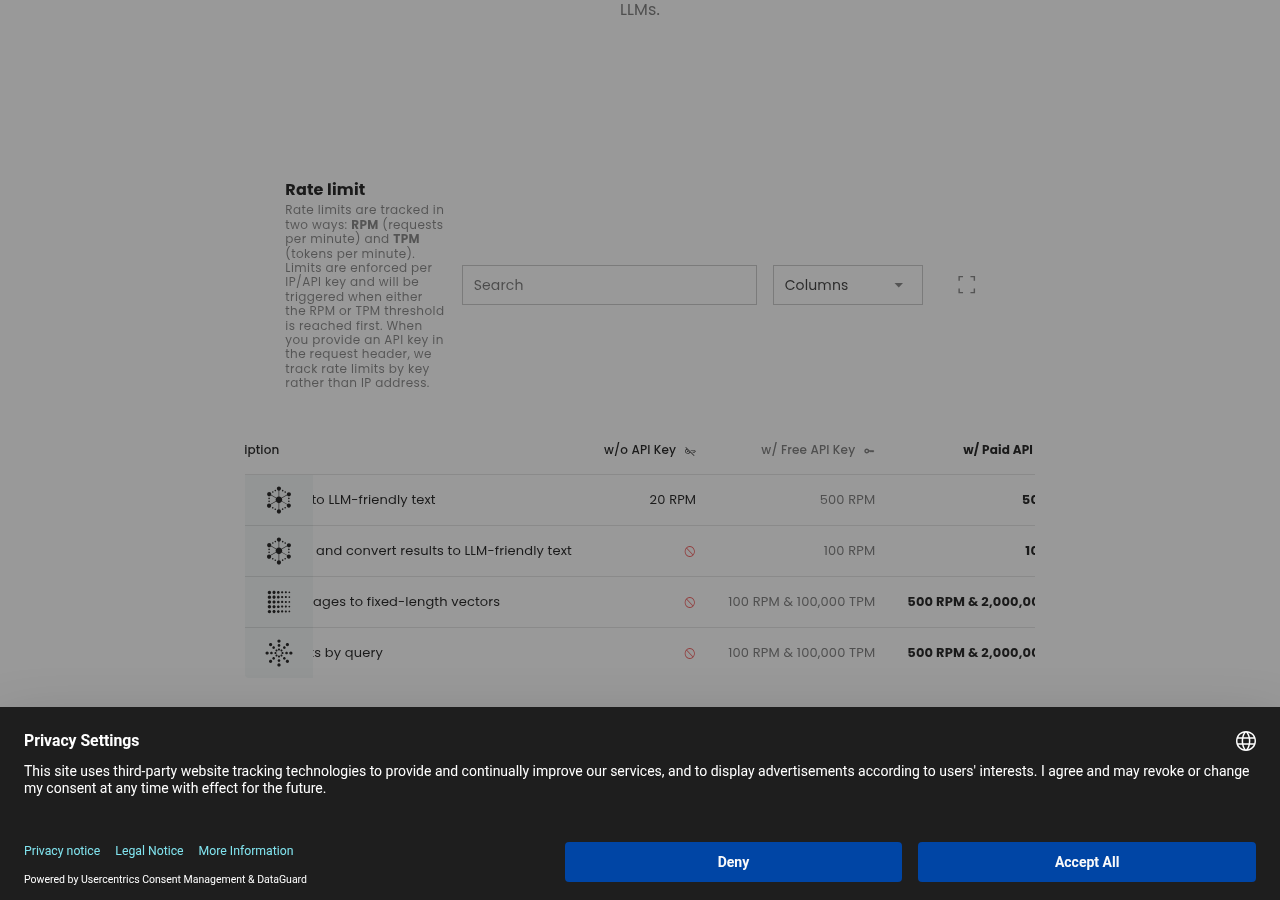
- Screenshot: Vendor rate-limit table: r.jina.ai 20 RPM without an API key
- Screenshot: HTTP 401 'bad network reputation' in headless Chrome
- Log: All r.jina.ai calls with time, HTTP code, size and duration
- File: Raw 401 response body
- File: Raw 401 response headers
- File: Vendor claims as captured, with exact page text
- File: Ground-truth numbers we collected for the planned comparison
- Log: Run 2 calls (key redacted), extra diagnostics and the 22-request check
- File: Run 2 metrics: sentence recall, boilerplate markers, links, images, quotes, PDF
- File: Comparison script used for the metrics
- File: Output excerpts (full outputs kept in the repo because of the source pages' licences)
Vendor claims, as quoted
- "Convert a URL to LLM-friendly input by prepending r.jina.ai." … "Boilerplate such as navigation, headers, footers, and ads is stripped, and the main content is converted to Markdown." (source)
- "The default engine renders the page in a headless browser so client-side JavaScript executes before extraction." (source)
- "The best part? It's free!" Rate-limit table: r.jina.ai without an API key, 20 RPM. (source)
- "Reader natively supports PDF reading. It's compatible with most PDFs … and it's lightning fast!" (source)
Lowest-access way to try it
L0. Run curl "https://r.jina.ai/https://example.com". If you get HTTP 401 'bad network reputation' (common on cloud servers), get the free trial key from jina.ai/api-dashboard/reader and send it as an Authorization: Bearer header. For JavaScript-heavy pages add the header X-No-Cache: true.
Details: vendor, pricing, environment, time, cost
Not sponsored. No affiliate links. Vendors do not see results before they are published.
How to cite
TriedAgents, "Jina Reader: tool test", partly works, tested 2026-10-20, https://triedagents.com/tools/jina-reader/
Get one re-run case every weekday
One agent use case we actually re-ran, every weekday. Free.
We only store your email address. Every issue has a one-click unsubscribe link. Privacy